The wrong episode
Episode 12 goes out when the schedule says 13, or a part is missing from the middle of an episode.
A playlist validation tool we built for a multi-channel TV network. It catches each day’s playlist export from the scheduling system, checks it against the schedule and the booked spots with more than 20 rules, times the day to the frame and writes a corrected file, before anything reaches playout.
Every channel of the network sends one playlist a day to playout: programmes in parts, end credits, idents, commercials, promos, fillers and bumpers, around 500 items. Playlist QC meant people reading the export line by line. What slipped through was found on air.
Episode 12 goes out when the schedule says 13, or a part is missing from the middle of an episode.
One commercial too few against the booking, and the sales team hears it from the advertiser.
An episode without its end credits, or a “next” bumper that announces the wrong show.
The 21:00 drama starts at 21:02, or twelve minutes early because a break was left short.
The operator keeps working in the scheduling system. One extra click, and the day is checked.
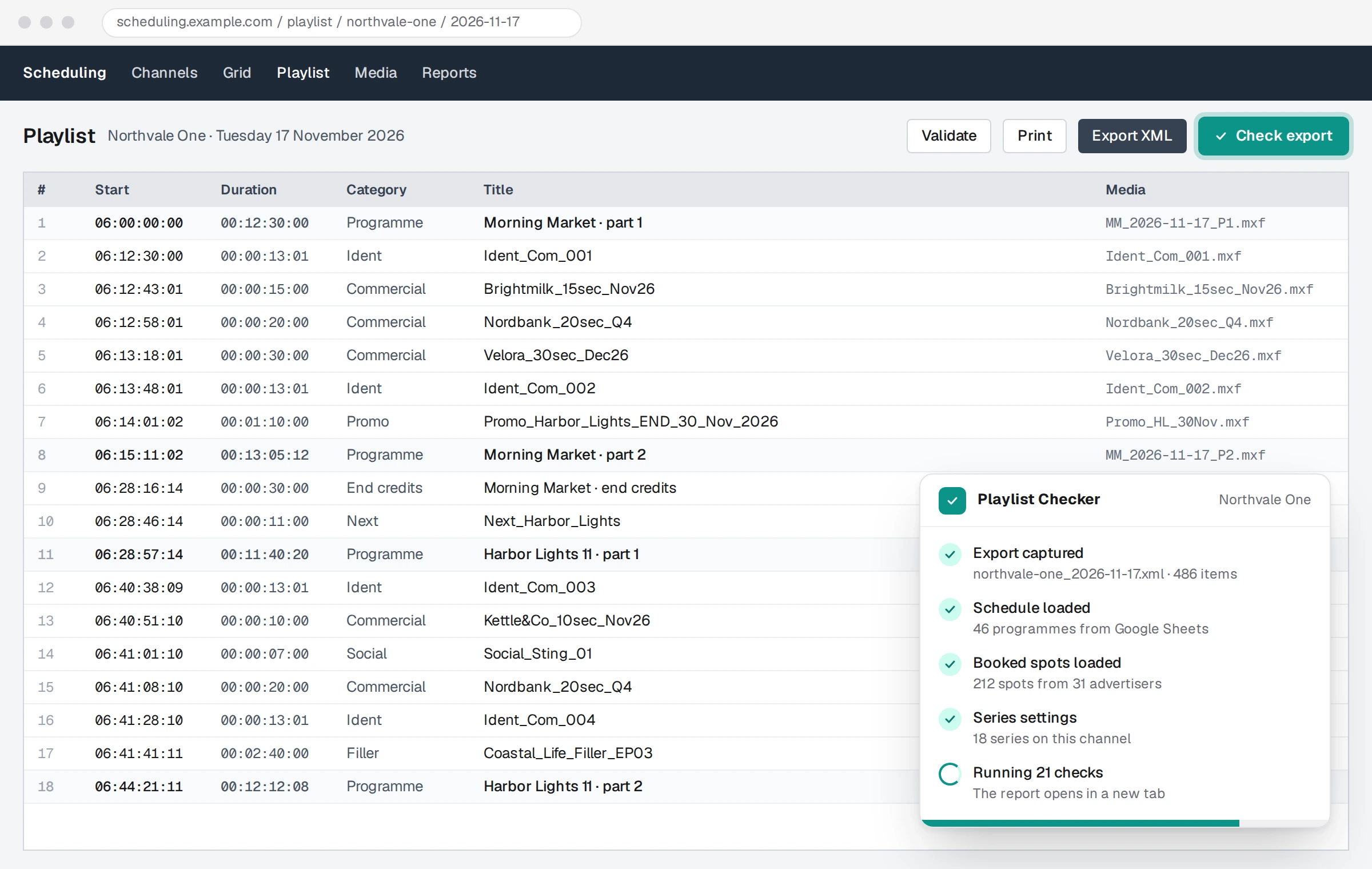
The extension adds a Check export button next to the scheduling system’s own Export. The export is caught before it is saved and named by channel and date.
The day’s schedule and the booked spots come from the team’s Google Sheets, together with each channel’s series settings.
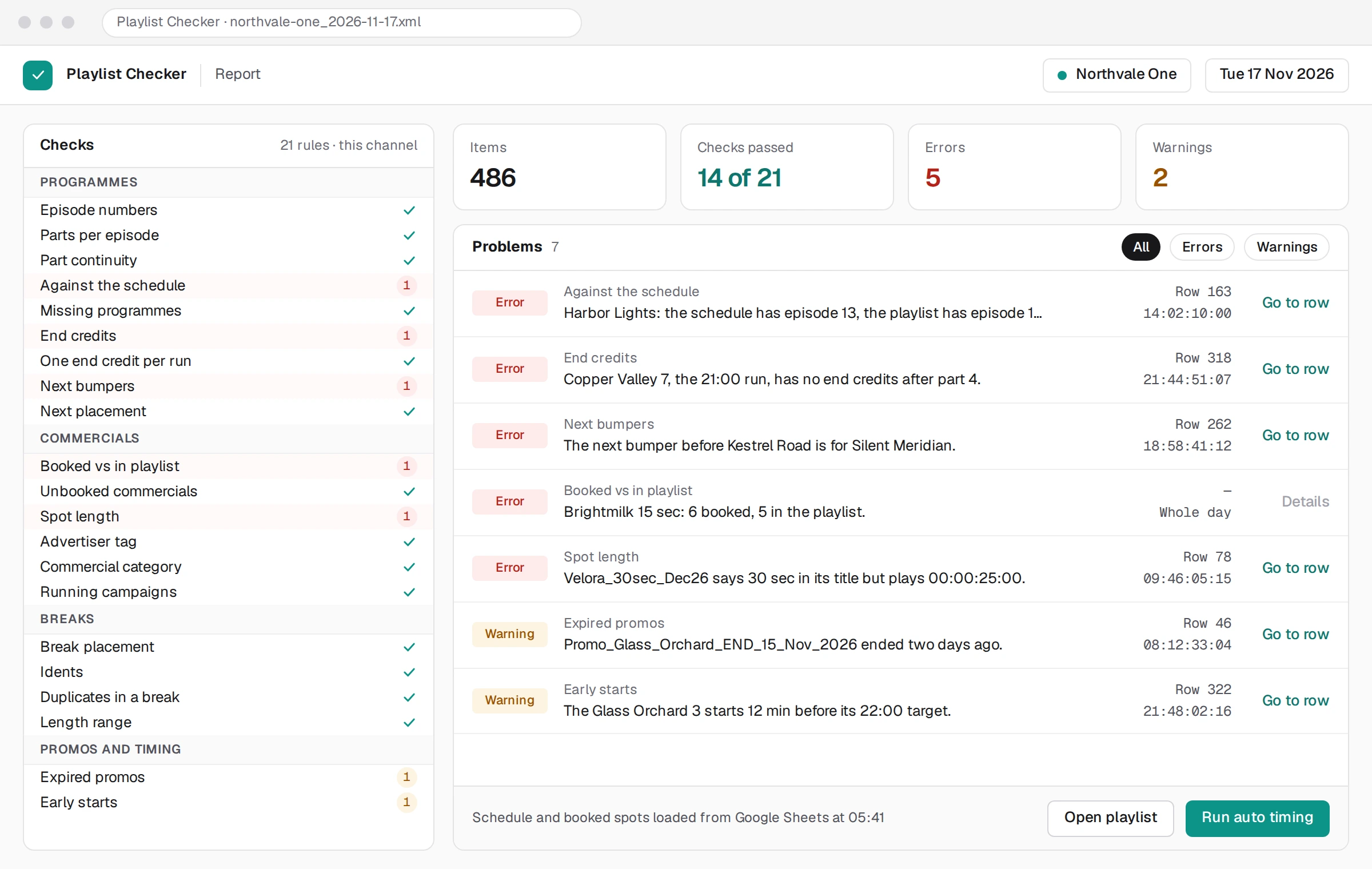
More than 20 rules run on every item of the day. Each problem is listed with its row and time, by group.
Auto timing brings every programme onto its target time; the editor handles the rest by hand, with undo.
A corrected XML in the same format goes to playout’s FTP, Google Drive or Dropbox, or to the operator’s disk.
The rules come from the network’s own way of building a day. Each one is a separate module and points to the exact row it is about; series rules are set per series and per channel.
A day only works if the 21:00 drama starts at 21:00:00:00. Auto timing walks the day programme by programme and reshapes the breaks before each fixed start, inside the channel’s rules, then runs every check again.
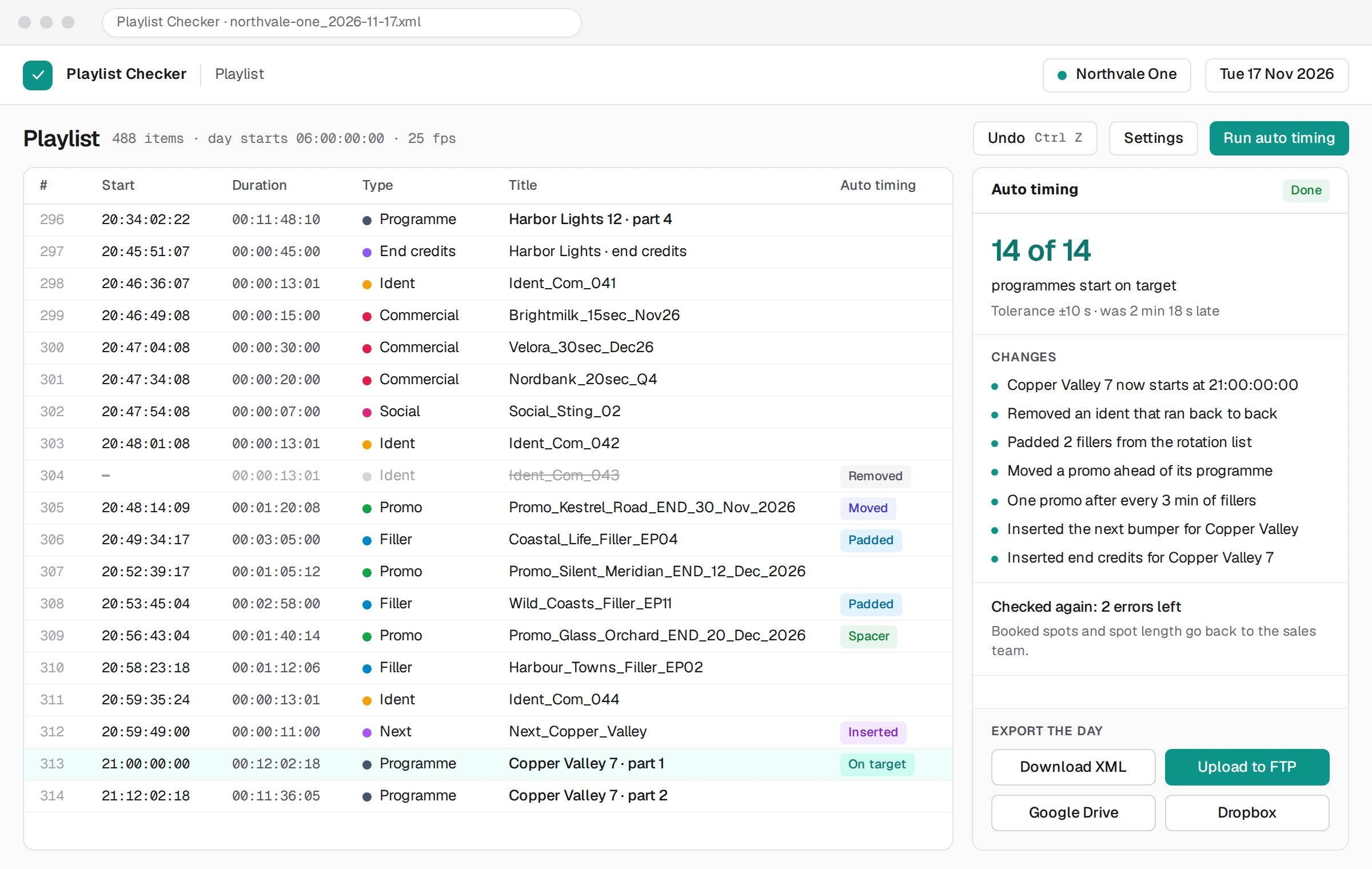
Drag and drop, cut, copy and paste, Shift-click to select a range, Ctrl+Z to undo. Start times are recalculated on every change.
Parts per episode, whether end credits and next bumpers are required, and the target start times of each run.
What auto timing may remove, whether promos are spaced out, and a debug log the team can download.
The schedule and the booked spots are read from Google Sheets on every check, so the report always uses the latest booking.
The corrected XML goes to the playout FTP, or to Google Drive or Dropbox with a share link, in a folder per channel.
It runs in the operator’s browser and reads the export the system already makes. No access to the vendor’s servers is needed.
We build checkers like this for any scheduling or playout system that exports XML, CSV or Excel: your rules, your formats, your delivery.
A tool that checks a TV channel’s playlist before it is sent to playout: the right episodes in the right order, every booked commercial present, end credits and bumpers in place, breaks built by the channel’s rules, and fixed programmes starting on time. It turns hours of reading by eye into a report of the exact rows that need fixing.
This checker was built for one cloud scheduling system, but the approach works with any system that exports a playlist file (XML, CSV or Excel) or shows the playlist in a browser. We adapt the capture and the file reader to your system; the checks are your channel’s rules.
The XML export of the scheduling system it was built for. For your channel we adapt the reader to the format you have: your system’s own XML, BXF, CSV or Excel.
No. It adds a button in the operator’s browser and reads the export the system already produces. Nothing is installed or changed on the vendor’s side.
The playlist is checked in the browser. Reference data comes from your own Google Sheets or API, and the corrected file goes only to your own FTP, Google Drive or Dropbox.
Yes. Every check is its own module, so a new rule is added without touching the others. Series settings (parts, end credits, next bumpers) and auto-timing options are edited per channel in the extension.
It is quoted per project, at a fixed price, after a call about your system, your file format and your rules. Most channels start with the checks that hurt most and add the rest later.