Clash codes
Spots for competing brands or categories are kept out of the same break.
9eye places commercials, promos, idents and fillers in every break by your rules, keeps each break to the frame, sends the day to playout and checks the as-run log against the plan — with programme scheduling in the same system.
A traffic system turns the spots a channel has sold and the promos it wants to run into breaks that play out exactly — and then proves what aired. In 9eye every step is connected.
Commercials, promos, idents and fillers in the catalog, each with its length, clash codes and the hours it may air.
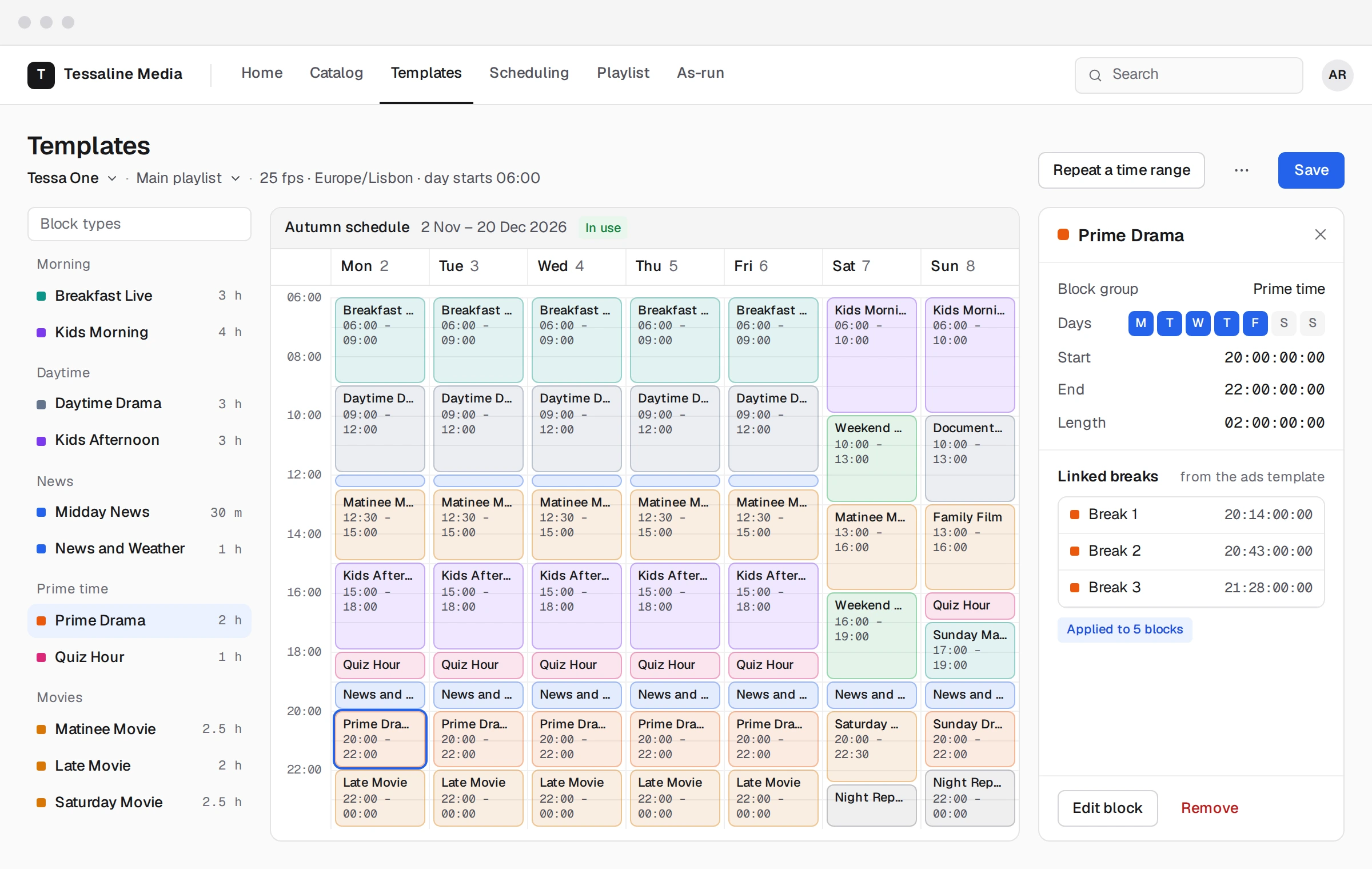
Ad breaks drawn into the week template at exact positions inside each programme block.
Booked spots placed in breaks by your rules, promos ahead of the programmes they promote.
What is left in each break closed with fillers, bumpers and idents from rotation lists, to the frame.
Every break checked before export: length, clash codes, minutes per hour, air windows, missing media.
The day exported to playout as BXF or an automation format, and the as-run log reconciled against the plan.
Each channel has its own rules. 9eye keeps them while spots are placed, and checks them again before the playlist leaves for playout.
Spots for competing brands or categories are kept out of the same break.
Every break filled to its exact length at the channel’s frame rate, drop-frame included.
Advertising minutes per clock hour checked against your limit before the day goes to air.
Products and programmes that may only air at certain hours stay inside them.
A promo runs before the programme it promotes, never inside it.
Idents, bumpers and fillers taken in turn from lists, so the channel never looks repetitive.
Traffic and scheduling work on the same channel week. Ad breaks are linked into programme blocks at exact positions, and the main playlist and the ads playlist stay linked, so the programme team and the traffic team never work from two versions of the day.
With Platform + AI agents, four agents do the repeated traffic work inside your rules. Every change waits for a person’s approval before it reaches playout.
Places the day’s booked spots in the right breaks, gives a reason for every placement, and proposes other breaks for spots that do not fit.
Spreads each campaign over its passes, ahead of the programmes it promotes.
Closes every gap in every break with items from your rotation lists, to the frame.
Matches the as-run log to the plan, explains each difference and lists the spots that need a make-good.
Early access starts with a demo on a channel like yours, then a trial on your own catalog and templates.
Traffic software manages everything that fills a channel’s breaks: commercials, promos, idents and fillers. It places them in breaks by rules, builds the log that goes to playout, and checks the as-run log afterwards against what was planned.
Not yet. 9eye does traffic and scheduling: booked spots come in from your sales system or a spreadsheet, and the reconciled as-run tells your billing team what aired. Sales and billing will come later, as a module or a connection to your own system.
Codes given to commercials whose brands or categories compete — two car makers, two banks. The traffic system keeps spots with the same clash code out of the same break.
In the channel’s week template. Each programme block has its ad breaks linked at exact positions, and a main playlist and an ads playlist stay linked at those positions.
Yes. Public and subscription channels use the same breaks for promos, idents and fillers. A channel’s settings and rules decide what goes where.